Build a simple web app with Bubble.io - Low code platform experience (1)
In this Bubble.io series, I will share everything about my learning and development process, as well as the strengths and weaknesses of this platform in my personal project.

Hellooooooo, first of all, I'm dedicating this blog to writing mainly about my experiences in self-learning and experimenting with tech products and programming languages. In fact, I usually tinker a lot with tech stuff, both hardware and software, but only recently did I think about writing a blog documenting my learning and building process.
Recently, I've been building a personal product, so I've also been learning a bit about new programming languages and using Low-Code platforms to build the product. I've done this partly to find the most suitable solution and partly to reflect on the product market to see where Low-Code and No-Code products currently stand. In this Bubble.io series, I will share everything about the learning and building process, as well as the strengths and weaknesses of this platform.
Up until about a week ago, a friend of mine had an idea to build a product that serves as a place for people to share surplus or leftover food with each other. I really liked this idea because, when I was studying abroad, I actually survived thanks to a guy who gave me sushi every week, so I'm very fond of this idea. Plus, it's big enough but not too complicated for me to try out using a Low-Code platform. After trying out several low-code platforms for web development, I decided to use Bubble.io for this project. Just to give a bit of background, I had heard of and experimented with Bubble.io before but hadn't actually built a product or project from start to finish. So, let's consider myself a complete beginner when I start using it for this project. I also have experience with other platforms, but I feel that they are more suited for building websites like B2C sales, portfolios, blogs, etc.
Bubble.io is a low-code platform positioned as "The full-stack, no-code app builder for everyone," allowing you to build fully functional web applications without writing any code. One of Bubble.io's biggest advantages is its user-friendliness. Even if you don't have much experience, you can easily create user flows for basic functions like member registration, login, and posting. The visual editor provides a clear overview of the application's design and functionality, making it easy to understand and modify as needed.
OK, now I'll start building. Let's tentatively name this app "Sharee." I will draft the basic features of Sharee first:
Register and log in to an account.
Post to share leftover food.
Register to receive food they are interested in.
Send messages to each other to arrange food pick-up.
Manage the list of food shared and received.
View a list of available dishes and see the details of each one.
At the same time, I'll sketch out a database structure that I want to keep simple, not a BA-level version =)).
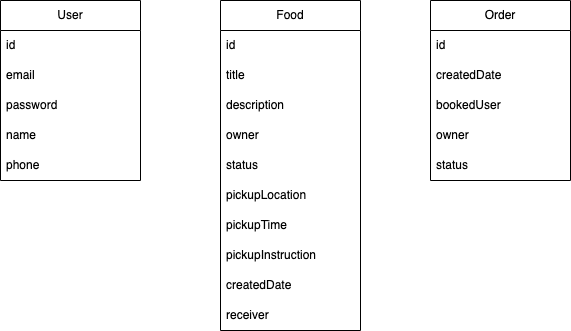
This is the first advantage of Bubble.io: you don't need to be familiar with any database or set up a separate database. With Bubble.io, you can easily create an in-house database like this even if you're not a coder.
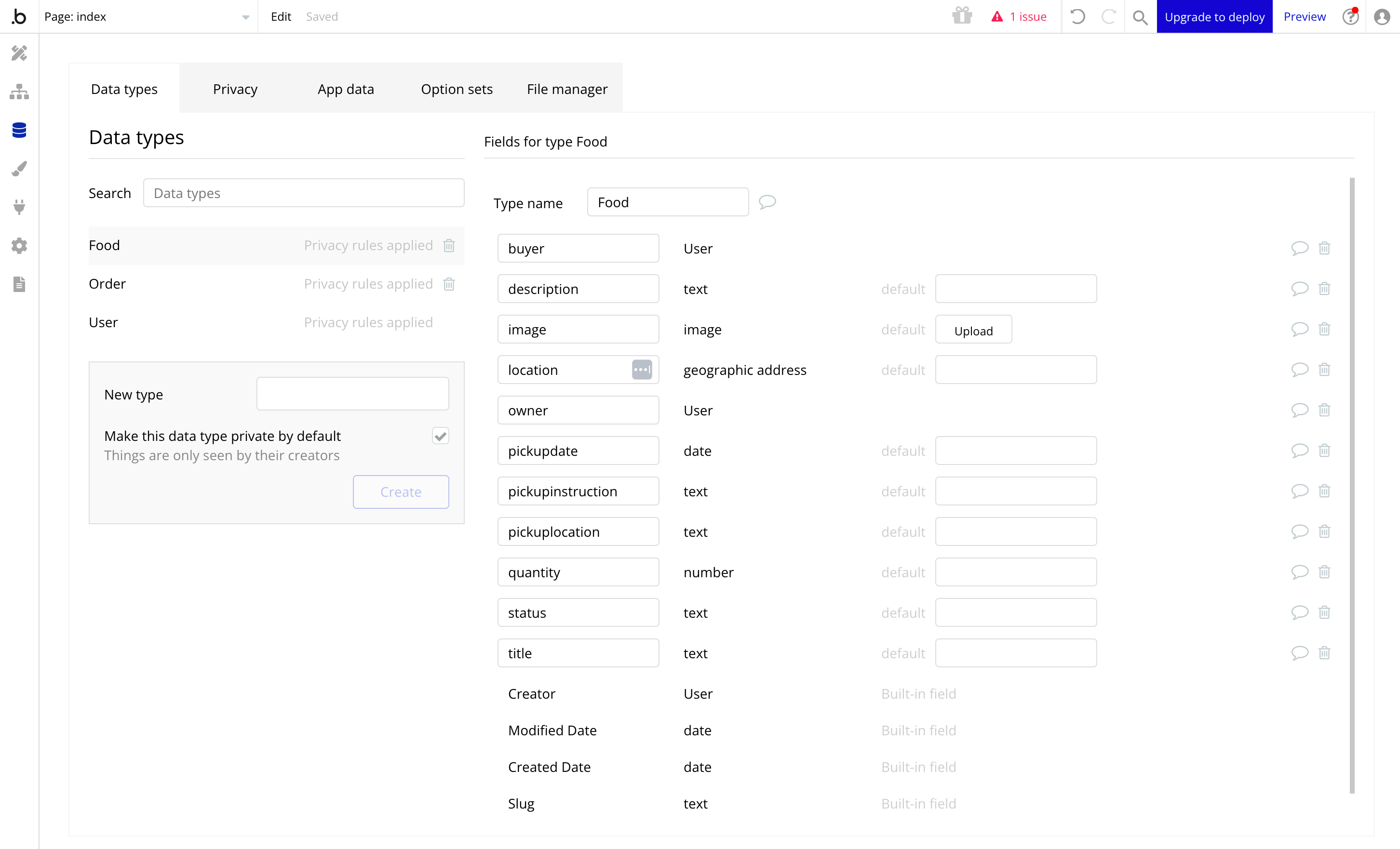
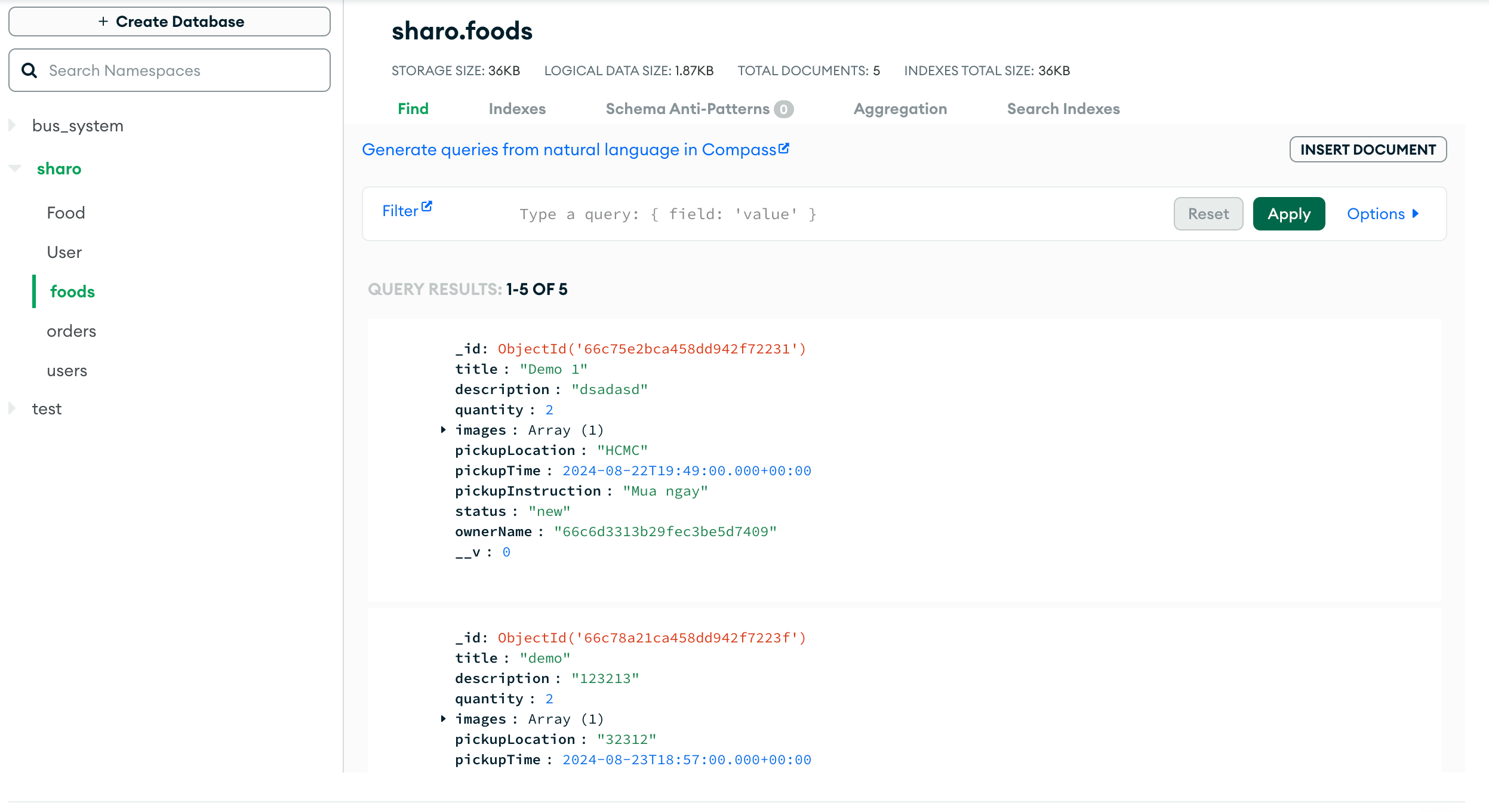
To elaborate on the advantages of this database, I've put below a database I made on MongoDB. If I want to record who the owner sharing the food is, then on Bubble.io, I need to create a field called "owner" with a type of "User," and the system will automatically match it. Of course, with MongoDB, I would save the ObjectID as the user's ID, and if I needed to display, for example, the user's name, I would query back to get the user information.
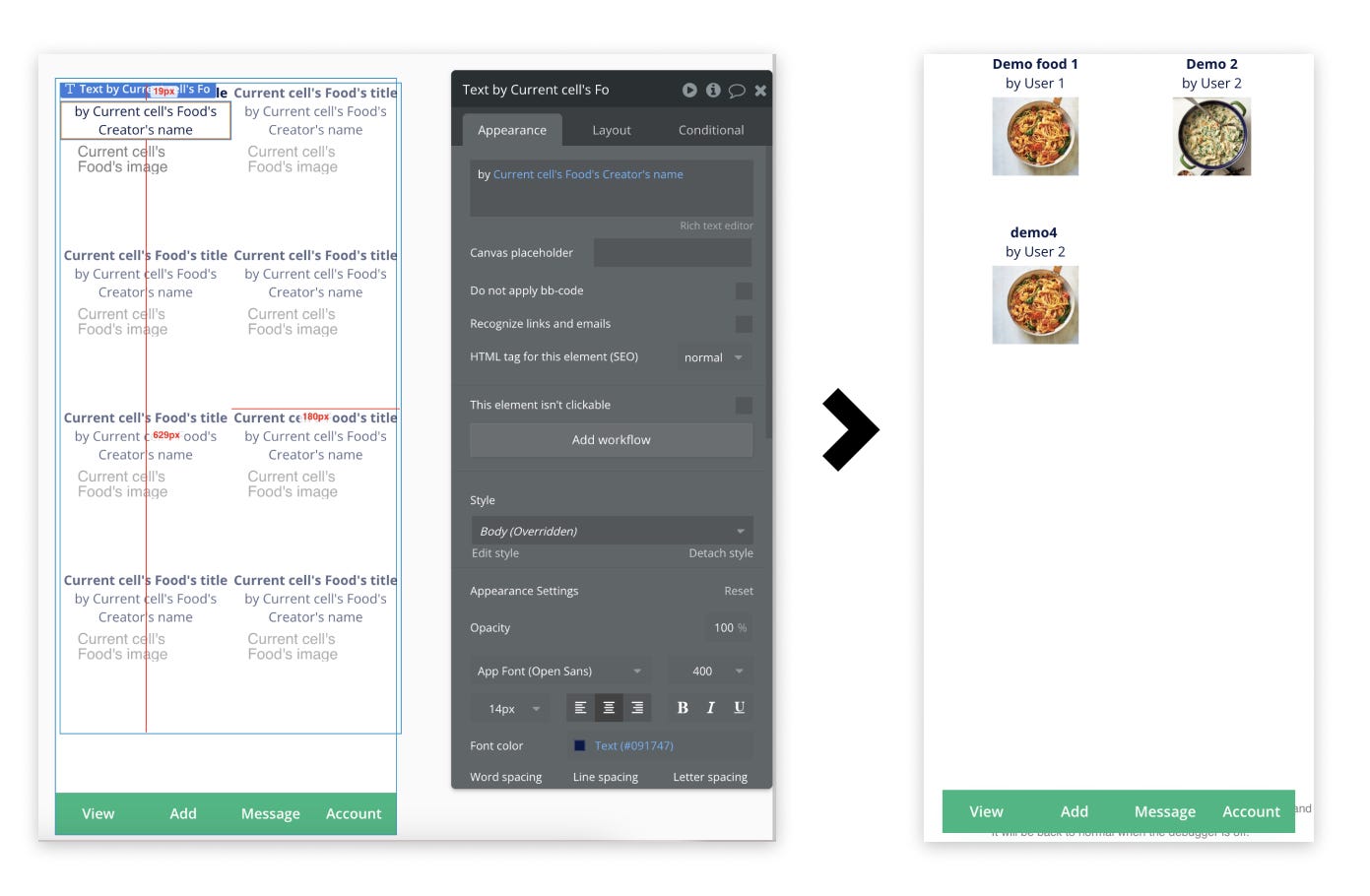
Even with Bubble.io, there's always a default field called "Created by," so you don't need to add the "owner" field. Below is an example: if I want the food listing screen to display the creator's name, I use Dynamic Data binding, as shown below, to fetch the creator's name without knowing any SQL/NoSQL code or building any API.
Moreover, Bubble.io's database is quite diverse in types, such as geographic addresses, but I have to register for the Google Maps API to use it. Of course, if you want, Bubble.io also supports connecting external databases through the API Connector plugin.
Overall, on the first point: where will the app's data be stored, and what database will it use? For those like me who aren't coders, the simplest way is to use Bubble.io's data section, which is convenient and easy to use, whether for querying, permissions, or management. The downside is that with the free version, you'll have certain limits on how much data can be created.
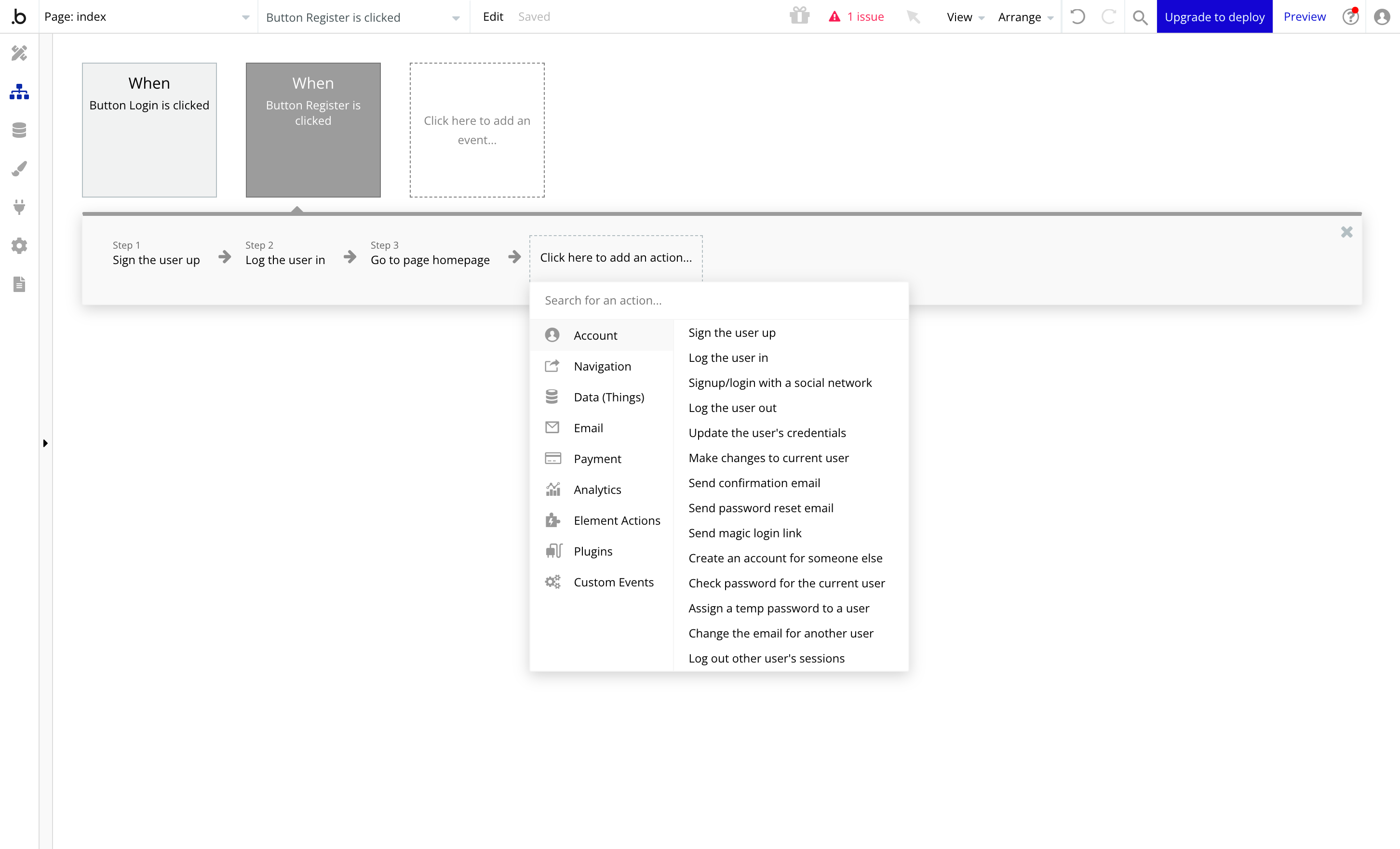
Moving on to the second point, which non-coders are most concerned about when wanting to make a web app, website, or app: creating the flow between screens and adding functions to the application. With Bubble.io, this is solved with the Workflow module. True to this platform's label, it is a low-code tool for those not specialized in programming. For example, suppose you want the user to automatically log in and redirect to the home page after clicking the "Register" button. In that case, you'd typically need to code an API for registration and login, handle click events for the "Register" button, and deal with authentication, token expiration, token initialization, etc. It sounds like a headache, and although it's basic stuff that any developer must learn and do, it would probably take a week if you're not a developer. But with Bubble.io, everything is just a few clicks away. Need a function for any button? You need to select that button and assign the corresponding workflow to it. For example, below, I create a "Register" button and assign the workflow as shown below. You can see in the image that Bubble.io has created many basic functions for us to select and use, such as register, login, logout, update information (for the "Update profile" page), create new data, update old data... and even send login links or email account confirmations.
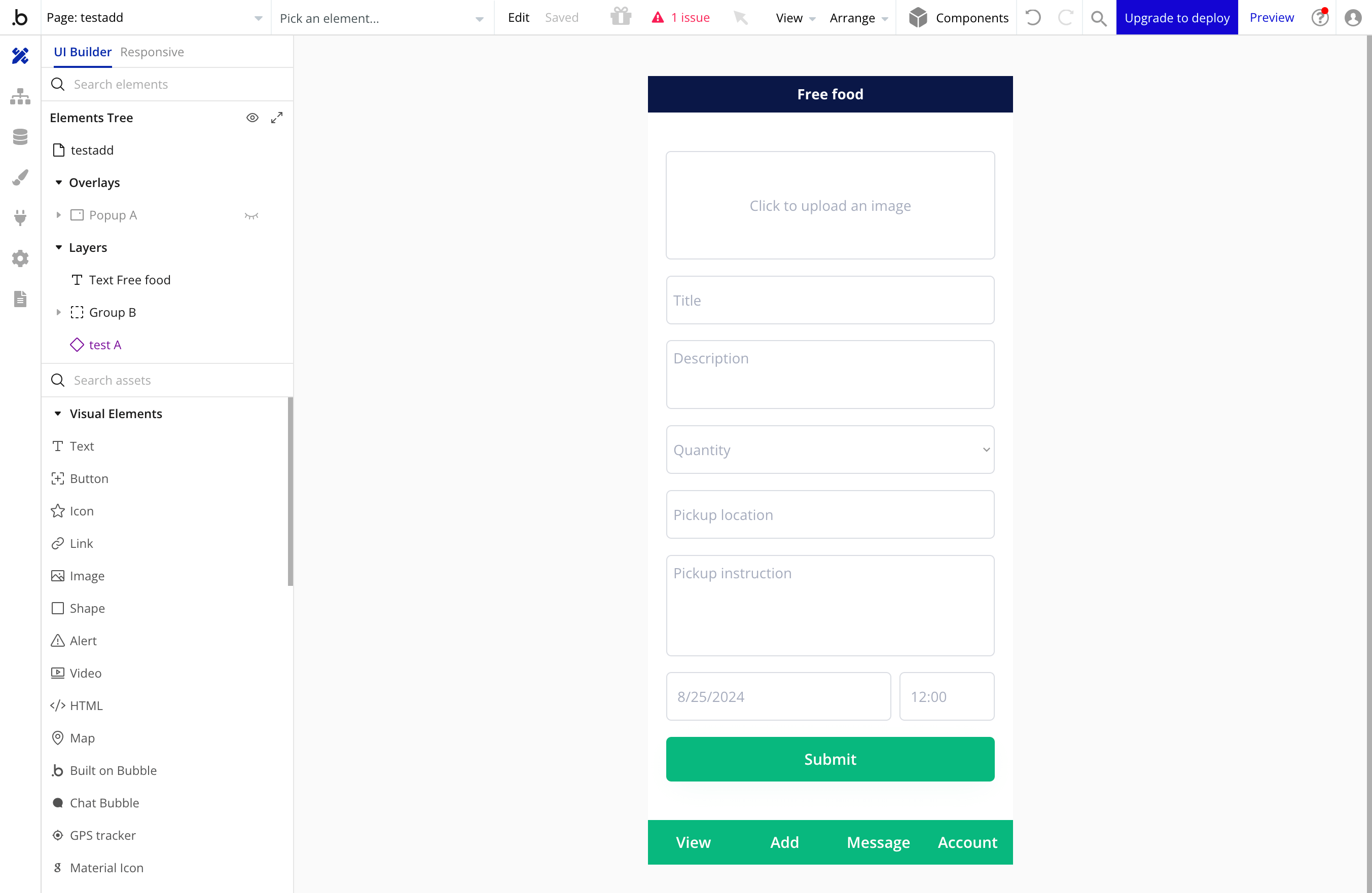
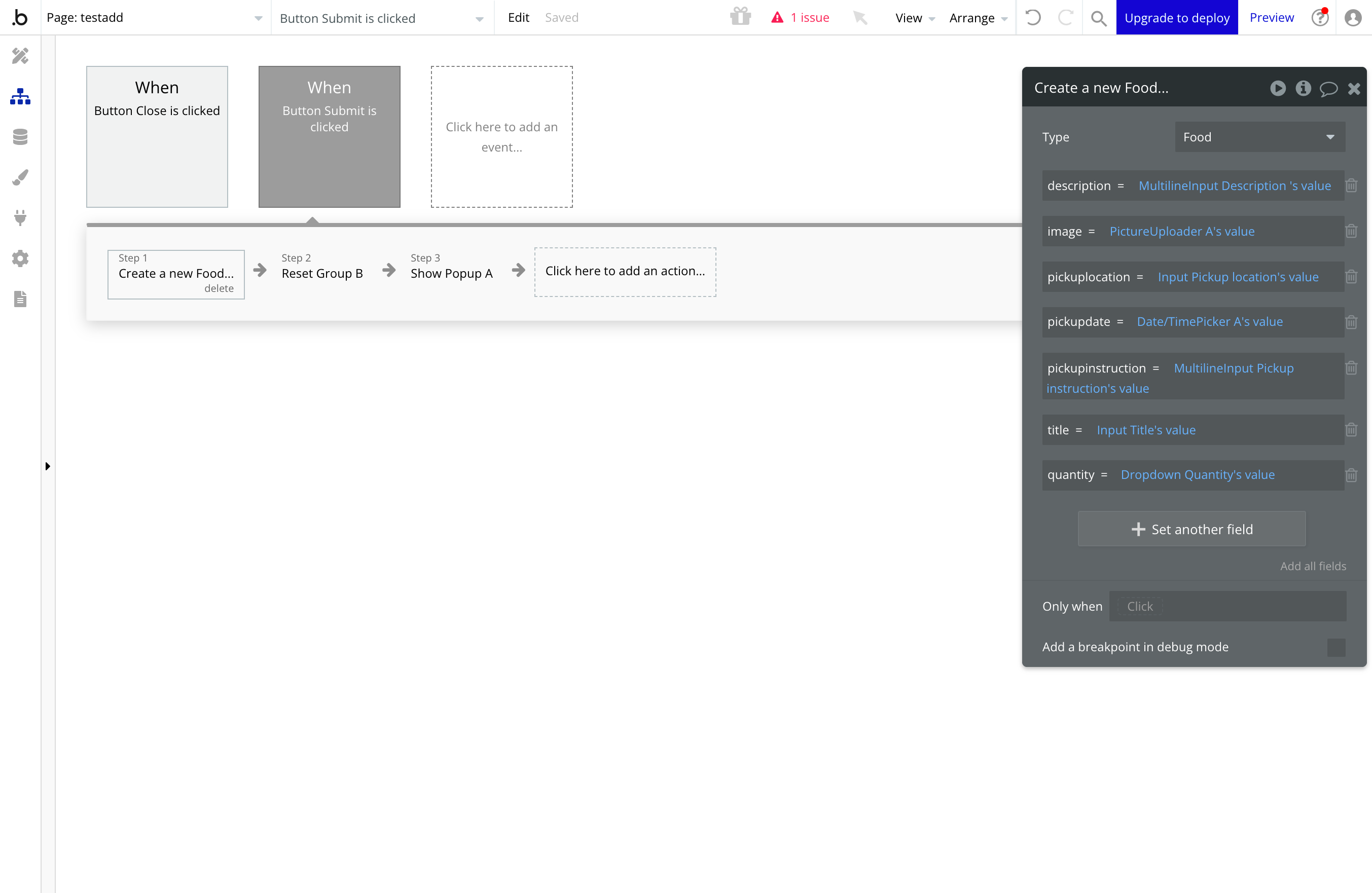
Below is an example of creating a new "Food" page. On this page, I'll have the user fill in information like name, description, upload images, etc., and have an "Add new" button to create a new entry. Next, for the "Add new" button, I assign it a workflow as shown below, with the action "Create a new Food" (creating new data for the "Food" table). I just need to match the corresponding fields with the respective inputs, as shown in the table on the right.
So, we have a screen to add food. In the next post, I'll continue writing about creating layouts, an area where Bubble.io has both strengths and weaknesses.